An app asks for the headset mic
Dictation, a meeting app, a browser tab, or a game opens an input stream.
Choose your favorite microphone and speakers. FlipMic keeps them selected as headphones, docks, and USB devices come and go.
One-time purchase · 30-day refund · macOS 13+
“Send the deck by five.”
The mic is still connecting.
Opening word missed
Your mic is ready.
First word captured
Example: a microphone handoff can miss the opening word.
Why it happens
Bluetooth headphones use one mode for high-quality listening and another for listening and speaking at the same time. Opening their microphone forces the second mode.
Dictation, a meeting app, a browser tab, or a game opens an input stream.
Output drops from high-quality playback to the bidirectional hands-free profile — call mode.
Music gets thin while the audio route rebuilds. Words spoken during that cold transition may never reach the app.
The fix
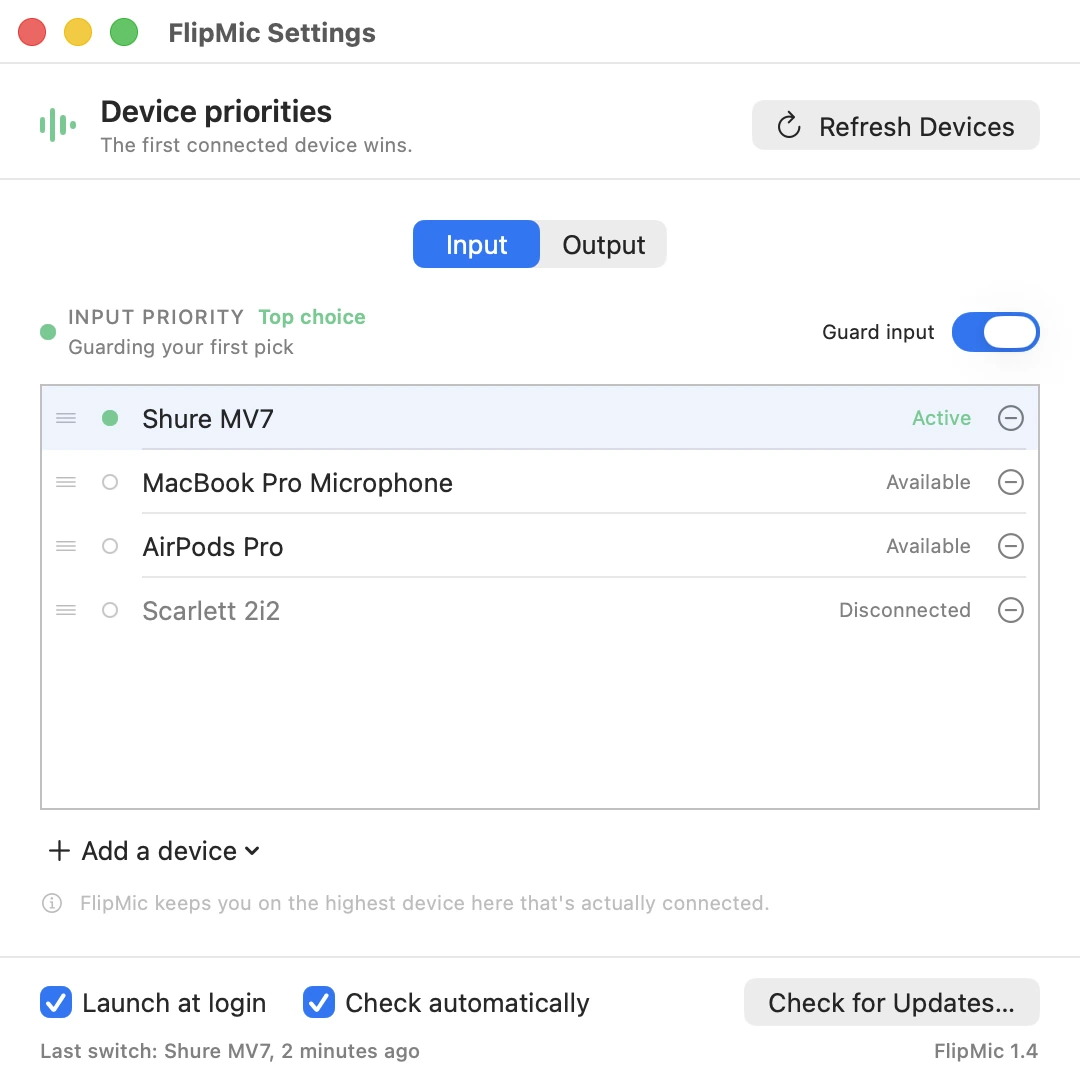
Rank your microphones once, and your speakers once. FlipMic keeps the macOS system defaults aligned with your lists — so nothing that plugs in gets to rewrite your setup.
More than headphones
The Bluetooth handoff is the loudest symptom, not the whole problem. macOS keeps one default per direction while your desk keeps changing underneath it.
A monitor or dock can appear as a speaker without becoming the place you want alerts, music, or meetings to play. More on output priority.
Reconnect your preferred microphone and FlipMic restores it automatically, even after macOS chose something else. More on USB mics.
If the first device disappears, FlipMic chooses your next connected preference instead of the last thing macOS noticed.
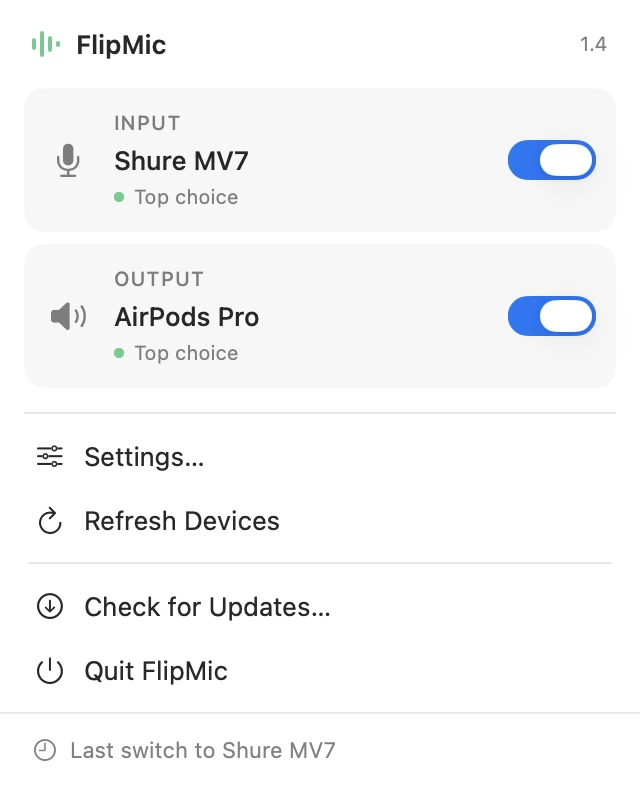
Use a studio mic for input and headphones for output. Their priority lists never have to match.
Only manage the direction you care about. Leave a list empty and FlipMic makes no changes there.
No microphone permission, virtual driver, recording, effects, EQ, or processing. FlipMic only changes defaults.
How it works
Two ordered lists are the entire configuration. After that FlipMic reacts to Core Audio events instead of waiting for you to notice something changed.
STEP 01
Drag microphones into one order and speakers into another. Leave either list empty when you want FlipMic to keep its hands off.
STEP 02
It notices devices connecting, dropping out, and macOS silently changing a system default.
STEP 03
Your order is restored after headphones connect, a dock wakes up, a cable comes loose, or your Mac restarts.
The app
A small app in your menu bar that keeps your audio setup the way you like it. No recording. No extra audio driver.
Pricing
FlipMic is $12 once, with a 30-day refund if it doesn’t solve your setup. Download it immediately after checkout.
Specific setups are covered in the guides: stopping AirPods from taking the Mac microphone, fixing a muffled AirPods mic on calls, keeping a USB mic as the default, stopping docks and displays from stealing output, and how FlipMic compares with SoundSource and eqMac.
The right mic for speaking, the right speakers for listening, and every reconnect handled without you touching a setting.
Buy FlipMic — $12One-time purchase · 30-day refund · macOS 13+